App Store Keyword Search Volume and Difficulty, Explained
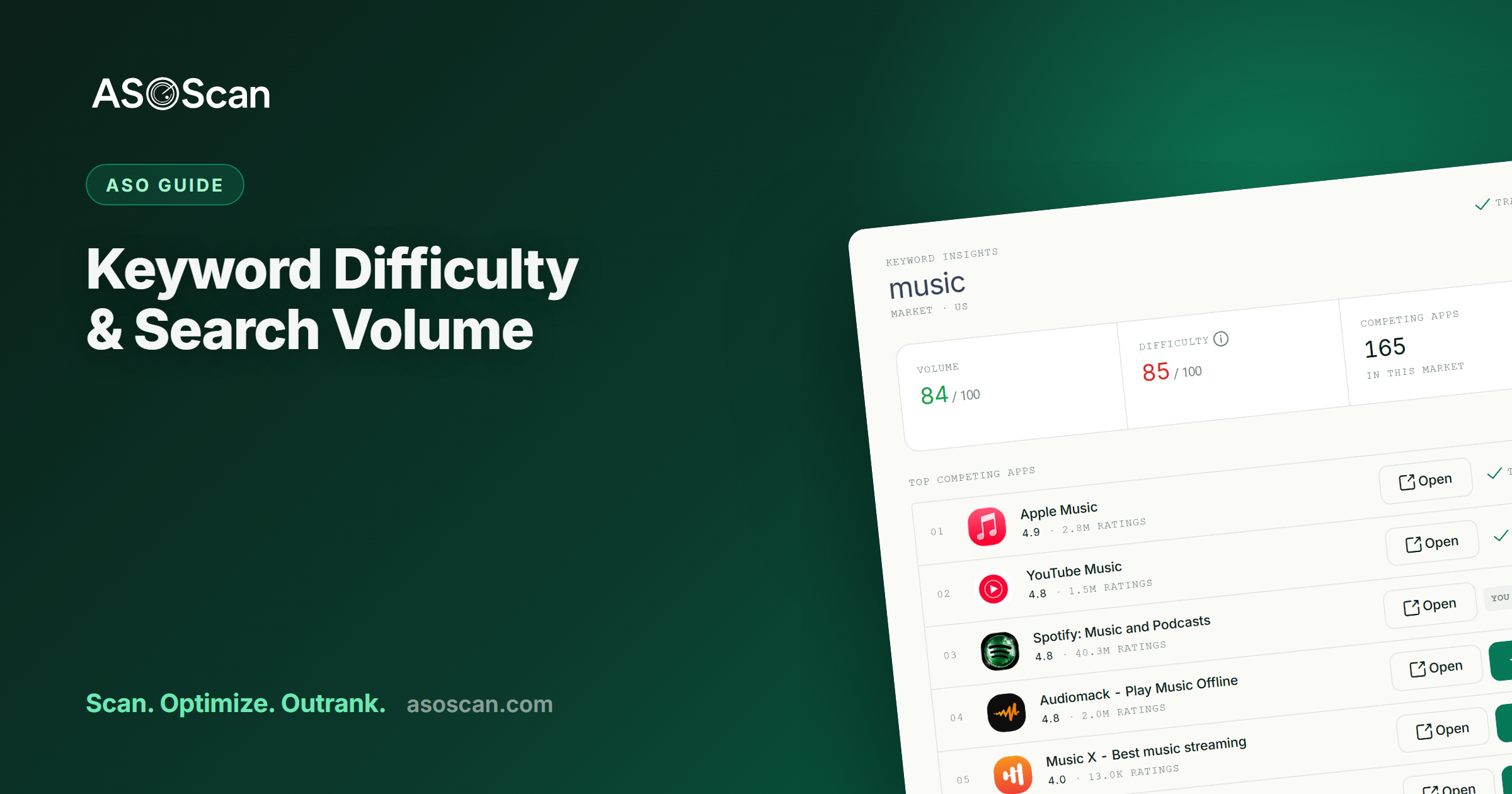
Quick answer: App store keyword search volume tells you how much demand a term has. Keyword difficulty tells you how contested it is. You need both, because a term you cannot win is wasted effort and a term nobody searches is wasted space. The targets worth having are relevant, have real demand, and sit at a difficulty your app can actually reach today.
Two numbers sit beside every keyword in every ASO tool, and most people act on one of them. This is what each one answers, and how to read them together so your keyword list is a plan rather than a wish list.
Last updated: September 2026.
What app store keyword search volume tells you
App store keyword search volume is the demand for a term inside the App Store or Google Play, in one market, expressed as a score you can compare across terms. It answers one question: if I ranked first for this, how much traffic could it send me?
Demand inside a store is not the same signal as demand on the web. Someone typing "habit tracker" into Google might be reading an article. Someone typing it into the App Store has already opened a store and intends to install something. That is why keyword tools built for web SEO do not answer this question, and why the number beside a keyword in an ASO tool is a different number from the one in a web tool that happens to spell the term the same way.
The practical use is comparison. Put your candidates in one list, and volume tells you which ones are worth a slot in your 100 character keyword field on iOS, or a sentence in your Google Play description, and which ones are taking up room.
What keyword difficulty tells you
Difficulty is how hard it is to reach the first page for a term, given the apps already there. It is the other half of the same decision: this term has demand, but can I get it?
A new app with forty ratings will not outrank a four and a half star incumbent with two million reviews for "photo editor", however good its metadata is. Difficulty puts a number on that wall so you stop walking into it.
The thing to understand about difficulty is that it is relative to you. There is no universal cutoff. A term that is easy for an app with three years of installs behind it can be out of reach for one that launched last month, and the same score means two different things to those two apps.
Reading the two together
Put every candidate on two axes and four zones appear. Most keyword lists are bad because everything in them sits in one corner.
| Volume and difficulty | What it is | What to do |
|---|---|---|
| High volume, low difficulty | Rare, and worth stopping for | Take it now |
| High volume, high difficulty | Head terms, heavily contested | A goal for later, not a launch keyword |
| Low volume, low difficulty | Small wins that compound | Take a cluster of them |
| Low volume, high difficulty | A bad trade | Skip |
For most apps the sequence is the same: win a cluster of relevant, moderate difficulty long tail terms now, build ratings and install velocity on them, and let that make the harder terms reachable later. Good App Store Optimization improves organic rankings, and it does it in that order. We cover building the list itself in App Store Keyword Research, and keyword intelligence shows volume and difficulty side by side for every keyword you track, in every market you track.
Relevance is the third axis nobody plots
Volume and difficulty are the famous two. Relevance is the one that decides whether ranking was worth it.
A term with demand and low difficulty that does not honestly describe your app is a trap. You may well rank. The people who arrive will not install, and the ones who do will not stay, and weak conversion and retention feed back into where you rank, which is a shift we go through in the 2026 ranking signals.
So the filter runs before the numbers, not after: would somebody searching this be pleased to find my app? If the answer is no, the volume does not matter.
A sequence that works
- Cut the terms with no demand. They are not worth a character slot, however well they describe you.
- Cut the terms you cannot reach yet. Keep a short list of them somewhere for next year.
- Check relevance honestly. This is the step people skip because it is the one without a number.
- Decide where each term goes. On iOS, the title, the subtitle, or the keyword field. On Google Play there is no keyword field, so it has to read naturally in the title, short description or description.
- Look at who already owns it. If three of the top five in your category have the term in their title, that is worth knowing before you commit space. App Store Competitor Analysis covers how to pull that comparison.
If you want a read on whether your listing is even structured to carry new keywords before you start, the free ASO score checks a live listing and needs no account.
What these two numbers cannot tell you
They describe the search, not what happens after it. Three things they leave out, and all three have cost somebody a quarter.
- Whether people will install. Ranking is the first half. Your icon, your first screenshot and your rating decide the second, and no keyword metric sees them.
- When demand arrives. A fitness term peaks every January and a tax term every spring. A single reading is a photograph of a moving thing, so check monthly rather than once at launch.
- What your own app is already getting. App Store Connect and Play Console tell you what happened to you after you ranked, which is a different and equally necessary question. Read both.
The other thing worth saying plainly: do not build a listing on one term. A cluster of related keywords spreads the risk, and it is also how the stores read a listing anyway, since they combine words across your fields rather than matching whole phrases.
Frequently asked questions
What is a good keyword difficulty score?
There is no universal number, because difficulty is relative to your app's current authority. For a new or smaller app, work in the low to moderate range and leave the hardest head terms until you have ratings and install velocity behind you. A score that is comfortable for an established competitor can be out of reach for you on the same day.
Should I target high volume or low difficulty keywords?
Both, in that order of patience. Win the relevant moderate difficulty terms you can reach now, including long tail phrases, then use what that builds to reach further. Leading with unwinnable head terms is the most common mistake a new app makes with its metadata.
Is app store search volume the same as Google search volume?
No. They measure different people doing different things. Someone searching the web is often reading; someone searching a store is often installing. A tool built for web search, including Google Keyword Planner, does not measure in store behaviour at all.
How often should I check volume and difficulty?
Monthly for an active app, and again before any seasonal push or major update. Seasonal and trend driven terms move inside weeks, so an annual check misses most of what happened.
Why does a keyword show volume but no difficulty?
Difficulty needs enough competing apps around a term to be worth calculating. Very new or very narrow phrases sometimes have demand without enough competition around them yet, which is usually good news rather than missing data.
These numbers only mean something inside a workflow. The complete app store keywords guide shows where they sit in one, and How to Measure ASO covers what to watch once the keywords are chosen.