The iOS Keyword Field: How to Use All 100 Characters (30-30-100 Rule)
Quick answer: The iOS keyword field is a hidden, 100-character box in App Store Connect that Apple indexes for search but never shows to users. To use it well, follow the 30-30-100 rule: your most important keyword in the 30-character title, secondary terms in the 30-character subtitle, and synonyms plus long-tail variations packed into the 100-character keyword field, separated by commas with no spaces, and never repeating a word already in your title or subtitle.
Last updated: June 2026.
The iOS keyword field is the most valuable, most misunderstood piece of real estate in App Store Optimization. It is 100 characters that users never see but Apple's search algorithm reads directly: pure keyword space with no conversion job to balance. Wasted characters here are wasted rankings. This guide is the exact technique to spend all 100 of them well.
What is the iOS keyword field?
The keyword field is a metadata field in App Store Connect, set per localization, where you list the search terms you want your app to rank for. It is indexed (it influences which searches you appear in) but hidden (it is never displayed on your product page). That combination makes it unique: every other text field on iOS has to serve users and the algorithm, so it's a compromise. The keyword field answers to the algorithm alone.
It holds 100 characters. That's the entire budget. There is no second keyword field, and, critically, Apple does not index your description for keywords, so on iOS this little box plus your title and subtitle are essentially your whole keyword footprint.
The 30-30-100 rule
iOS keyword strategy comes down to allocating three indexed fields. ASO practitioners call it the 30-30-100 rule.
| Field | Limit | Seen by users? | Job |
|---|---|---|---|
| Title | 30 characters | Yes | Brand + your single most important keyword |
| Subtitle | 30 characters | Yes | Next-best keywords + a benefit hook |
| Keyword field | 100 characters | No | Synonyms, secondary terms, long-tail variations |
The title and subtitle do double duty: they have to read well and index. The keyword field is where you put everything that doesn't earn a place in the visible copy but still deserves to rank.
Why the keyword field is the most underused real estate on iOS
Most apps leave 20-40 characters of the keyword field empty, or fill it with words that do nothing. Two reasons it gets neglected: it's invisible, so nobody admires it, and the rules are unintuitive. But the math is simple: 100 characters at zero conversion cost is the cheapest ranking opportunity Apple gives you. Spend it.
The rules of the keyword field
These are the rules that separate a field that pulls its weight from one that wastes a third of its budget.
- Use commas, no spaces. Apple treats the comma as the only separator it needs. Writing
photo editor, collage makerwastes two characters on spaces;photo,editor,collage,makerdoes not. Dropping spaces routinely frees 10-15 characters for more terms. - Never repeat a word from your title or subtitle. Apple automatically combines words across your title, subtitle, and keyword field to form searchable phrases. If "photo" is already in your title, putting it in the keyword field again earns you nothing and burns six characters.
- Don't store phrases, store words. Because Apple recombines words across and within fields, you usually don't need full phrases. If your title has
photoand your keyword field haseditor, you can rank for "photo editor" without spending characters on the phrase. Only keep a multi-word term intact when word order genuinely matters and the parts wouldn't combine correctly. - Drop stopwords and filler. Skip "the," "a," "for," "your," and especially "app" and "free": Apple ignores or discounts them, and "free" is conveyed by your price. Every one you cut buys room for a real term.
- Mind singular vs plural. Apple's matching across singular and plural forms is inconsistent. Include the form your users actually search; add the other form only if it differs meaningfully and you have the space.
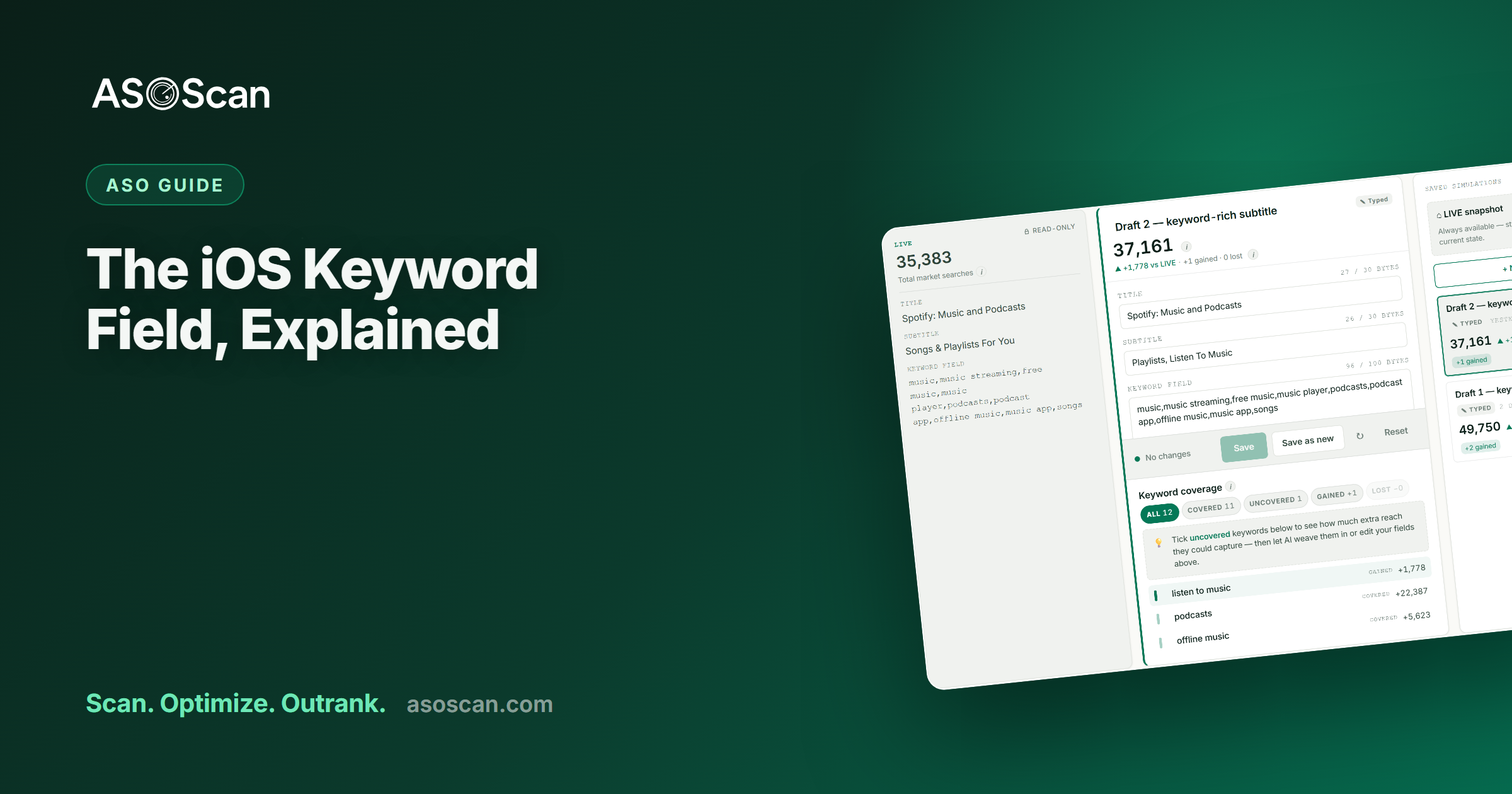
- Plan in the units your tool counts. The limit is 100 characters, but accented Latin (ä, é) and non-Latin scripts (Japanese, Korean, Arabic) can consume the budget faster than plain ASCII depending on encoding. If you publish in those markets, count carefully: ASOScan's keyword simulator shows the live byte budget as you draft, so you don't overrun.
- Don't use competitor or trademarked brand names. Apple's guidelines prohibit using other apps' or companies' trademarked names in your metadata, and it's a trademark risk. App Review can reject it. Target the category terms competitors rank for, not their brand.
How to build your keyword field, step by step
- Start from your prioritized keyword list (see keyword research). You should already know your target terms with their volume and difficulty.
- Place your single best term in the title and your next-best cluster in the subtitle.
- List every remaining target term, then strike any word already used in the title or subtitle.
- Break phrases into component words wherever Apple's recombination will rebuild them.
- Strip stopwords and spaces, joining with commas.
- Fill to 100 characters. If you're under, you have room for more long-tail terms. Go back to your list. If you're over, cut the lowest-opportunity terms.
- Simulate before you ship. Confirm your draft actually covers the terms you think it does. ASOScan's coverage simulator shows which keywords a metadata draft covers (and which it silently misses) before you push it live.
A worked example
Say you have a habit-tracker app.
- Title:
Habito: Habit Tracker(uses "habit," "tracker") - Subtitle:
Daily routines & goal streaks(uses "daily," "routines," "goal," "streaks") - Weak keyword field:
habit tracker app, daily habits, routine planner for your goals: repeats "habit," "tracker," "daily," "routine," "goal," includes "app" and "for your," and burns characters on spaces. Most of it is dead weight. - Strong keyword field:
reminder,planner,productivity,morning,journal,water,fitness,mood,checklist,discipline: every word is new, no repeats, no filler, no spaces. It recombines with the title and subtitle into dozens of phrases like "morning routine," "fitness tracker," "mood journal," "habit checklist."
Same 100 characters. The strong version covers several times more searchable phrases.
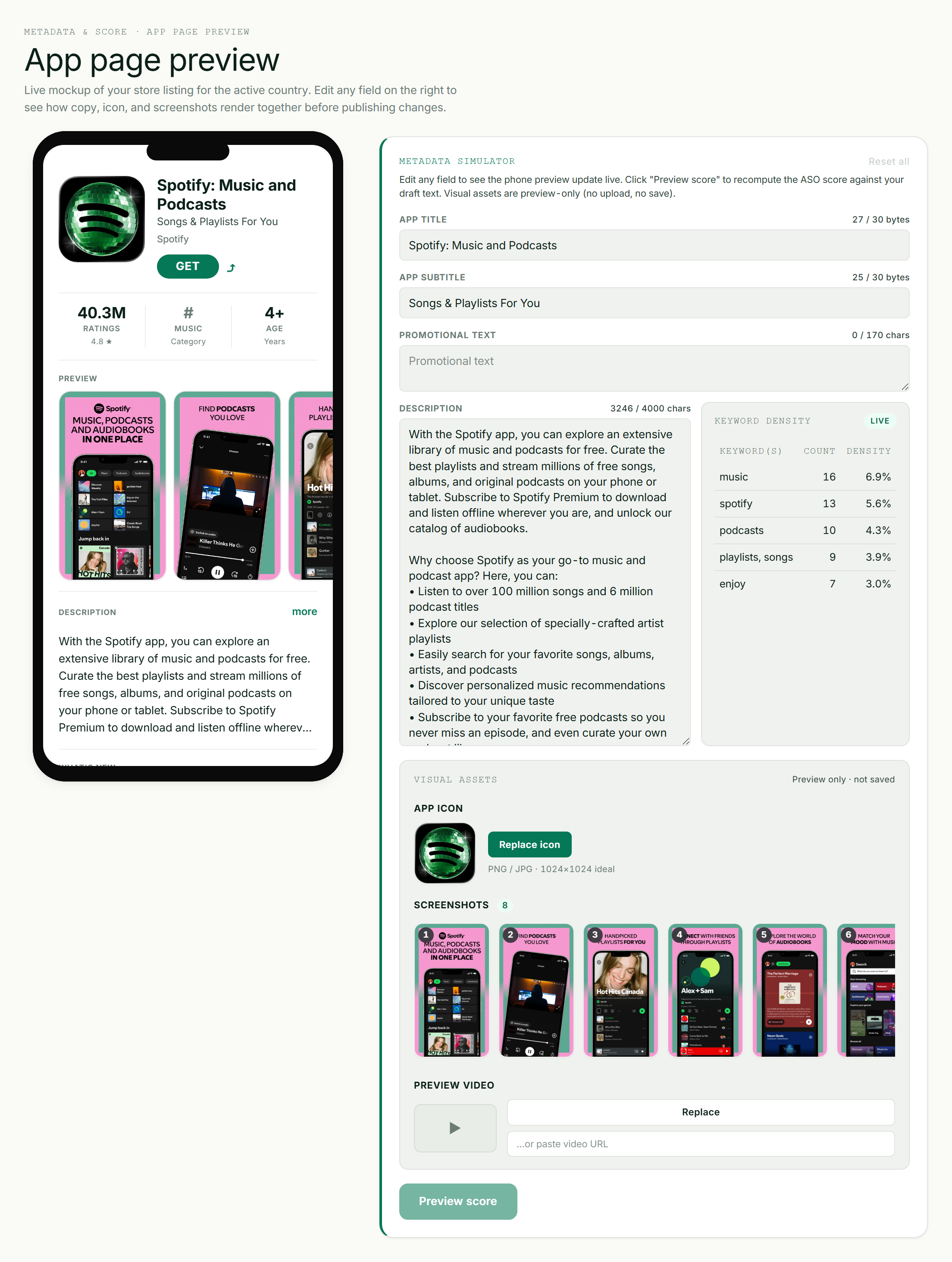
A live App Store listing preview updates as you edit your metadata.
New in 2025: the keyword field now powers Custom Product Pages
There's a fresh reason to take the keyword field seriously. Since mid-2025, Apple lets you assign keywords from your keyword field to a specific Custom Product Page (CPP), and as of July 2025 that CPP can appear in organic search results for those keywords instead of your default page. Apple also doubled the CPP limit to 70 per app in October 2025. The constraint: you can only assign keywords that are in your keyword field (not your title or subtitle), and each keyword combination can map to only one page. That makes a well-built keyword field the supply that feeds your organic CPP strategy. We cover the mechanics in what changed in ASO for 2026.
Common keyword-field mistakes
- Leaving characters on the table. An 80-character field is a 20% discount on your own keyword reach.
- Repeating title/subtitle words. The most common waste: Apple already combines them for you.
- Spaces after commas. Pure character theft.
- Stuffing "app," "free," "best," "top." Discounted or ignored; they convey nothing.
- Keeping full phrases that Apple would recombine anyway. Wastes the connective words.
- Setting it once and forgetting it. Re-evaluate when your rankings shift, a competitor moves, or you find new terms.
Frequently asked questions
How many characters is the iOS keyword field?
100 characters, per localization, hidden from users and indexed by Apple's search algorithm. It does not exist on Google Play, which instead indexes the visible long description.
Should I use spaces or commas in the keyword field?
Commas, with no spaces. Apple uses the comma as its separator and ignores the spaces, so photo,editor,collage indexes the same as photo, editor, collage while saving you the space characters, typically 10-15 characters you can reinvest in more keywords.
Can I repeat keywords from my app title in the keyword field?
No. It's wasted. Apple automatically combines words across your title, subtitle, and keyword field, so a word in your title is already in play. Repeating it in the keyword field earns nothing and consumes characters you could spend on a new term.
Does the iOS description help with keyword rankings?
No. Apple does not index the App Store description for keywords: it's purely for conversion. This is the opposite of Google Play, which does index its long description. On iOS, your indexed keyword space is the title, subtitle, and 100-character keyword field only.
Can I put competitor app names in my keyword field?
You shouldn't. Apple's guidelines prohibit trademarked terms you don't own, App Review can reject the submission, and it exposes you to trademark claims. Target the generic category keywords your competitors rank for instead. That's both safe and more effective.
The keyword field is one piece of the puzzle: the complete app store keywords guide and free store character counter cover the rest.