App Name & Title Optimization for ASO
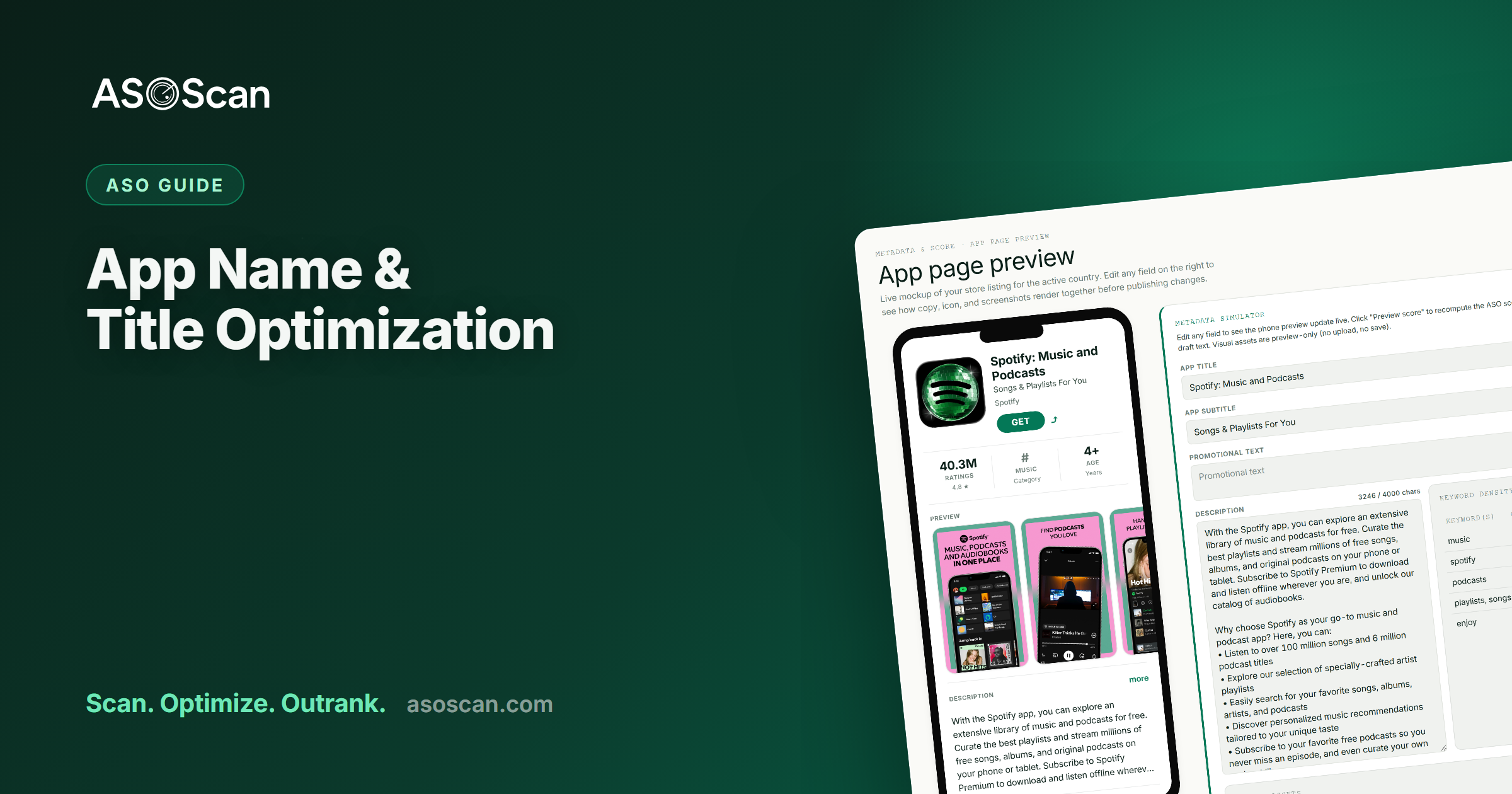
Quick answer: Your app's name (title) is the single highest-weighted text field for App Store and Google Play rankings — and the first thing users read. Both stores give you 30 characters. The winning formula is your brand plus your most important keyword, kept readable and trademark-safe, with your subtitle (iOS) or short description (Android) carrying the next-best terms. Don't stuff the title with keywords: it has to convert as well as rank.
Last updated: June 2026.
If you change one thing about your listing, change the title — it carries more ranking weight than any other field and it's the first impression every user gets. Yet most apps waste it, either as pure branding with no keyword, or as a keyword-stuffed string that reads like spam. This guide is the formula for getting both jobs done in 30 characters, on both stores. It's part of the broader App Store Optimization guide.
Why the title is the most important text field
Apple and Google both weight the app name more heavily than any other metadata for keyword relevance. A keyword in your title ranks far more strongly than the same keyword in your subtitle, keyword field, or description. The title is also what users scan first in search results — so it has to earn the tap, not just the index. That dual job is exactly why it's hard: every character has to work for the algorithm and the human.
The 30-character budget
| Apple App Store | Google Play | |
|---|---|---|
| Field | App Name | App title |
| Limit | 30 characters | 30 characters |
| Indexed? | Yes — highest weight | Yes — highest weight |
| Also drives | Search + conversion | Search + conversion |
Google reduced the Play title from 50 to 30 characters in 2021, so both stores are now the same tight budget. Don't trust older guides that say 50 for Android.
The formula: brand + primary keyword
The reliable structure is:
Brand — Primary Keyword (e.g. Habito — Habit Tracker, Lumen — Calorie Counter).
- Your brand anchors recognition and protects your branded search.
- Your single most important keyword captures the highest-value term you can realistically rank for.
- A separator (
—,:,-) keeps it readable.
You're not trying to fit five keywords in the title — you're picking the one that matters most and letting the subtitle and keyword field carry the rest.
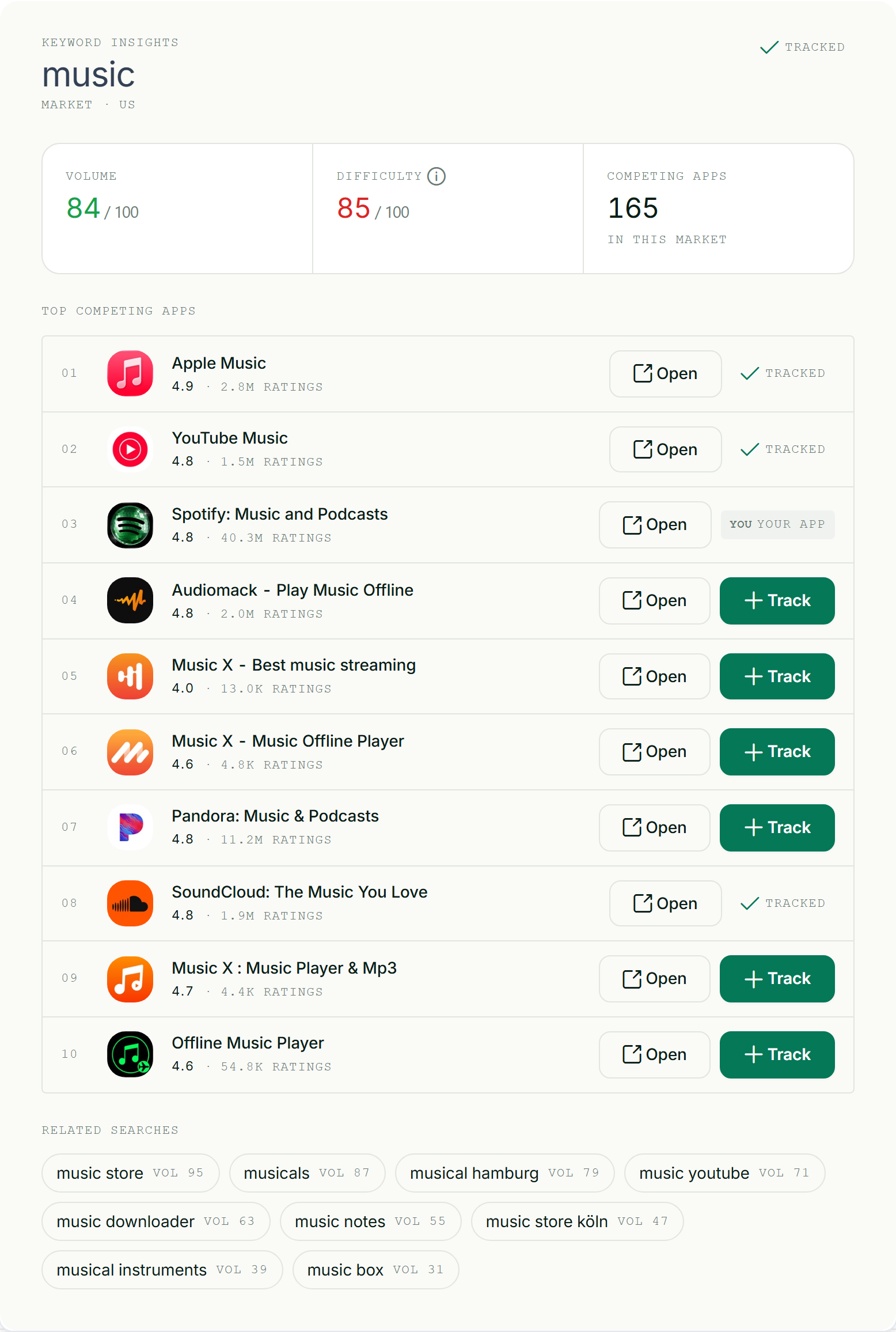
Pick the title keyword by volume, difficulty, and relevance — not by gut.
Brand-first or keyword-first?
- Brand-first (
Habito — Habit Tracker) when your brand has recognition or you're building it. The default for most apps. - Keyword-first (
Habit Tracker — Habito) when you're brand-new with zero brand demand and need every ounce of keyword weight up front. As your brand grows, you can flip it.
Either way, the brand and the keyword both belong in the title.
Readability, trademarks, and store rules
- It must read like a name, not a keyword list.
Photo Editor Collage Maker Filters Prois spam — it reads badly and both stores may reject or discount it. - No prohibited words. Avoid "best", "#1", "free", "top" — Apple and Google restrict promotional and superlative terms in the name, and they convey nothing.
- No competitor or trademarked names. Using another app's brand in your title risks rejection and trademark claims. Target the category term, not the rival's name.
- Mind localization. The title is set per localization — your best keyword in German isn't a translation of your best English one. See app localization.
Pair the title with the subtitle / short description
The title doesn't work alone. On iOS, the algorithm combines words across your title, subtitle, and keyword field (the 30-30-100 rule), so:
- Title: brand + your #1 keyword.
- Subtitle (iOS, 30) / Short description (Android, 80): your next-best keywords + a benefit hook — it's indexed and visible.
- Don't repeat title words in the subtitle or keyword field; the stores already combine them.
Pick the right title keyword
Your title keyword is the most important keyword decision you'll make, so don't guess it:
- Build a keyword list scored by volume, difficulty, and relevance.
- Pick the highest-value term you can realistically rank for — a winnable, relevant term beats an aspirational head term you'll sit at #40 for. See difficulty and search volume.
- Before you commit, model it: ASOScan's keyword simulator shows which terms a title-and-metadata draft would cover.
Changing your app's name
Renaming is high-stakes — do it deliberately:
- You can lose brand equity and confuse existing users; the icon + name are how they find you.
- It briefly disrupts rankings while the store re-indexes the new metadata.
- It affects Apple Ads relevancy, since your metadata feeds your ad relevance.
- Worth it when your current name carries no keyword and low brand recognition, or your positioning genuinely changed. Otherwise, optimize the subtitle and keyword field first.
Common title mistakes
- Pure branding, no keyword — wasting the highest-weight field.
- Keyword-stuffing the title so it reads like spam (and may be discounted/rejected).
- Prohibited words ("best", "free", "#1") that convey nothing and break rules.
- Competitor brand names — rejection + trademark risk.
- Repeating title words in the subtitle/keyword field instead of adding new terms.
- Renaming casually and torching brand equity for a marginal keyword.
Frequently asked questions
How long can an app name be?
30 characters on both the Apple App Store and Google Play. Google reduced the Play title from 50 to 30 characters in 2021, so they now match — ignore older guides that say 50 for Android. The app name is the highest-weighted indexed field on both stores, so every character counts.
Should my app name include a keyword?
Yes — the title is the highest-weighted ranking field, so it should include your single most important keyword alongside your brand (for example, Brand — Primary Keyword). Don't stuff multiple keywords in; pick the one that matters most and let your subtitle and keyword field carry the rest. The title still has to read like a name and earn the tap.
What words can't I use in an app title?
Avoid superlatives and promotional terms like "best", "#1", "free", and "top" — both stores restrict them and they add no value. Don't use competitor or trademarked names (rejection plus trademark risk). And don't keyword-stuff: a title that reads like a keyword list can be discounted or rejected, and it converts worse.
Should I put my brand or keyword first in the title?
Brand-first (Brand — Keyword) is the default and right for most apps, since your brand anchors recognition and protects branded search. Keyword-first makes sense only for a brand-new app with no brand demand that needs maximum keyword weight up front; flip it back as your brand grows. Either way, include both.
Will changing my app name hurt my rankings?
It can disrupt them briefly while the store re-indexes, and it risks losing brand equity and confusing existing users. Rename when your current title carries no keyword and little brand recognition, or your positioning genuinely changed — not casually. If you just want more keywords, optimize the subtitle and keyword field first; they're lower-risk.