The App Store Optimization Checklist (2026)
Quick answer: A complete App Store Optimization checklist covers six areas: keyword research, on-metadata optimization, creatives and conversion, ratings and reviews, localization, and ongoing measurement, for both the iOS App Store and Google Play. Work through each section below as a repeatable audit. The fastest start is a free ASO scan to see where your listing stands, then fix the gaps this checklist surfaces.
Last updated: June 2026.
ASO has a lot of moving parts, and it's easy to optimize one field while leaving three others on the table. This is the practical, do-this checklist, organized the way you'd actually run an audit. Use it on a new app, before a big update, or quarterly on your whole portfolio. For the reasoning behind each item, follow the links to the deeper guides; for the full picture, start with the App Store Optimization guide.
How to use this checklist
Run it top to bottom per app, per platform, per market. Each box is a yes/no you can audit. Anything you can't tick is a to-do. Re-run it quarterly: rankings, competitors, and store algorithms all move.
1. Keyword research
- [ ] You have a prioritized keyword list scored by volume, difficulty, and relevance, not just volume.
- [ ] You've mined keywords from all six sources: your metadata, competitors, autocomplete, AI, store data, and category trends.
- [ ] You've read your competitors' rankings to find terms they win and you don't.
- [ ] You target winnable long-tail terms now, with head terms as a longer-term goal.
- [ ] You research keywords per market in the local language, never by translating.
Deeper: keyword research · difficulty & volume.
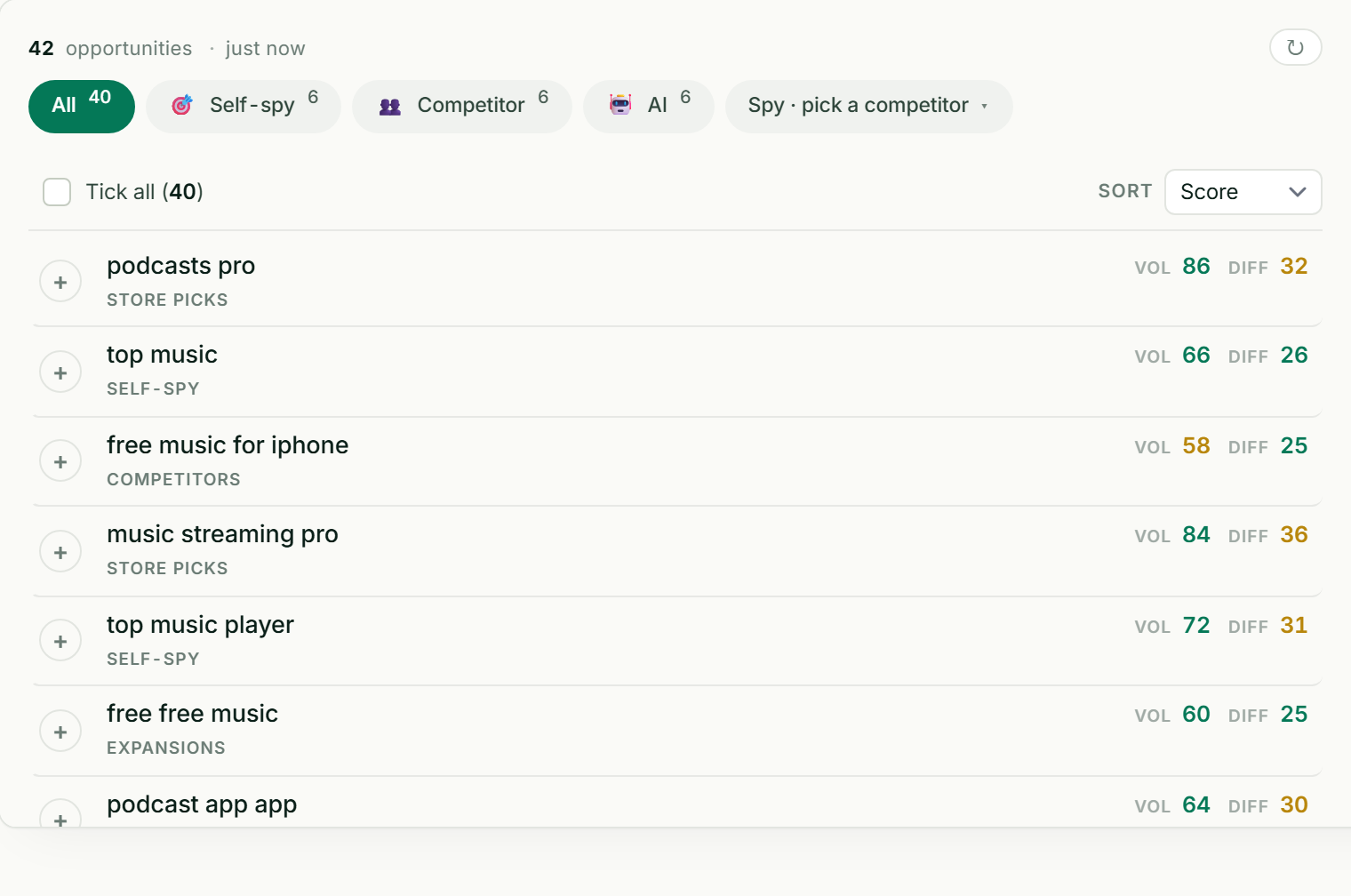
Keyword research, opportunities, and your ASO score in one place. Most of this checklist, automated.
2. iOS metadata (the 30-30-100 rule)
- [ ] Title (30 chars): your single most important keyword + brand.
- [ ] Subtitle (30 chars): your next-best keywords + a benefit. It's indexed and visible.
- [ ] Keyword field (100 chars): synonyms and long-tail terms, commas, no spaces, no repeats of title/subtitle words, no stopwords or "app/free".
- [ ] You're not relying on the description for keywords (iOS doesn't index it).
- [ ] Keyword field set per localization, not just US English.
Deeper: the iOS keyword field.
3. Google Play metadata
- [ ] Title (30 chars): primary keyword + brand.
- [ ] Short description (80 chars): high-value keywords + a benefit (indexed and shown).
- [ ] Long description (4,000 chars): written for humans, with priority keywords used naturally 3-5 times (Google indexes it; density is a soft signal).
- [ ] Metadata localized per language for every market you target.
4. Creatives & conversion
- [ ] Icon is distinct and legible at small sizes.
- [ ] First two or three screenshots lead with your strongest benefit, each a complete argument with a clear caption.
- [ ] Screenshots are designed panels (caption + focused visual), consistent across the set, and portrait unless your app is landscape-first.
- [ ] Screenshot captions carry real keywords (contested on iOS: Appfigures reported caption text being read in June 2025, but a ConsultMyApp test found only 1 of 64 such phrases ranking, and Apple has never confirmed it) while staying benefit-led and readable.
- [ ] You A/B test creatives (Apple Product Page Optimization / Google Play Store Listing Experiments), one variable at a time, to significance.
- [ ] If you ship a preview video, it leads with the payoff and its still frame works alone.
Deeper: screenshots · A/B testing.
5. Ratings & reviews
- [ ] You prompt for ratings at a "win" moment using the native in-app review prompt, not on launch.
- [ ] You reply to reviews, especially negative ones (for trust and retention; note: replies are not a ranking signal).
- [ ] You read review sentiment to find and fix the friction that drives users away.
- [ ] Your rating is healthy (moving from ~4.2 to 4.6-4.7 typically lifts conversion 30-50%).
Deeper: review analytics.
6. Localization
- [ ] You've translated and localized (not machine-translated) listings for your priority markets.
- [ ] You did fresh keyword research per market in the local language.
- [ ] Screenshots are localized for each market.
- [ ] You prioritized markets that already send organic installs, plus large or under-served-in-language ones.
Deeper: app localization.
7. 2026 ranking signals
- [ ] Screenshot captions include relevant keywords (whether iOS reads them is contested; write them for the reader first).
- [ ] You use Custom Product Pages (now up to 70, organic, keyword-assignable on iOS) for distinct search intents.
- [ ] You watch retention and engagement. Both stores weigh post-install behavior more heavily now.
Deeper: what changed in ASO for 2026.
8. Measurement & monitoring
- [ ] You track keyword rankings daily, per market, on both platforms.
- [ ] You monitor listing conversion rate (impressions → product page views → installs) in App Store Connect / Play Console.
- [ ] You track an overall ASO score over time to catch regressions.
- [ ] You get alerts on competitor metadata changes so you see moves the moment they ship.
Deeper: ASO score · competitor analysis.
Field limits quick reference
| Field | Apple App Store | Google Play |
|---|---|---|
| Title | 30 chars · indexed | 30 chars · indexed |
| Subtitle / Short description | 30 chars · indexed | 80 chars · indexed |
| Keyword field | 100 chars · indexed (hidden) | — |
| Description | 4,000 chars · not indexed | 4,000 chars · indexed |
| Promotional text | 170 chars · not indexed | — |
Frequently asked questions
What is an ASO checklist?
An ASO checklist is a repeatable audit of every lever that affects app store visibility and conversion: keyword research, iOS and Android metadata, creatives, ratings, localization, and measurement. You work through it per app, per platform, and per market, and anything you can't check off becomes a to-do. Re-run it quarterly because rankings and competitors move.
What's the most important item on the list?
For visibility, getting the title and subtitle/short-description keywords right; for installs, the first two or three screenshots, since they do most of the converting. Both matter: ranking for terms you can't convert, or converting traffic you can't attract, each wastes the other. Start with whichever is weaker on your listing.
How often should I run an ASO audit?
Quarterly for a full pass, with daily rank tracking and competitor-change alerts in between so you catch ranking drops, algorithm shifts, and competitor moves as they happen. A new app or a major update warrants an audit at launch. ASO is a moving target, so a once-a-year checklist isn't enough.
Is this checklist the same for iOS and Android?
The structure is the same, but the metadata items differ: iOS has a hidden 100-character keyword field and does not index the description, while Google Play has no keyword field but does index the 4,000-character long description. Run the checklist separately per platform and use the field-limits table above so you optimize each store on its own terms.