

App Store screenshot generator: one design, every size, every language.
Screenshot Studio is the App Store and Google Play screenshot generator inside ASOScan. Start from 70 templates, drop your app screens into real device frames, write the captions yourself or with AI, and export every size and every language the stores ask for in one ZIP.
Included in every plan. 7-day free trial, no credit card.
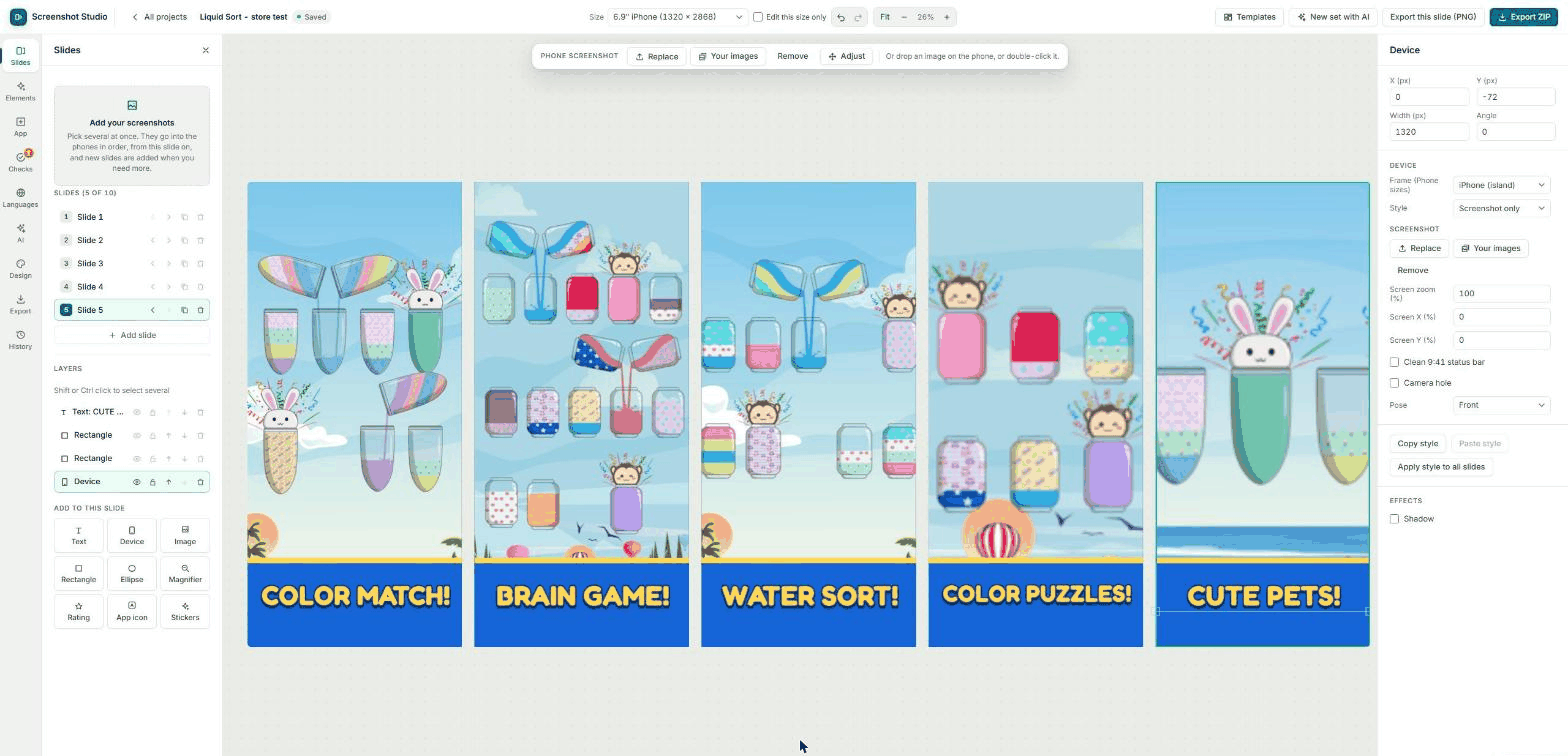
How to make App Store screenshots in four steps.
From your app's listing to upload-ready files, without a design tool.
- 1
Add your app
Pick an app you track in ASOScan. The studio reads its name, description and keywords from the listing, and can import its icon and the screenshots that are live in the store today.
- 2
Pick a template
Choose a full set or a single slide from 70 templates. Each research template comes in four color sets, or you set your own colors and see them on the template before you apply it.
- 3
Edit the slides
Click a phone to put a screenshot in it, then move and zoom the screen inside the frame. Add captions, a magnifier, a rating badge, your app icon or stickers.
- 4
Check and export
The checks find unreadable text, cut-off words and content under the camera cutout. Then export a ZIP with every store size and language, as PNG or JPG.
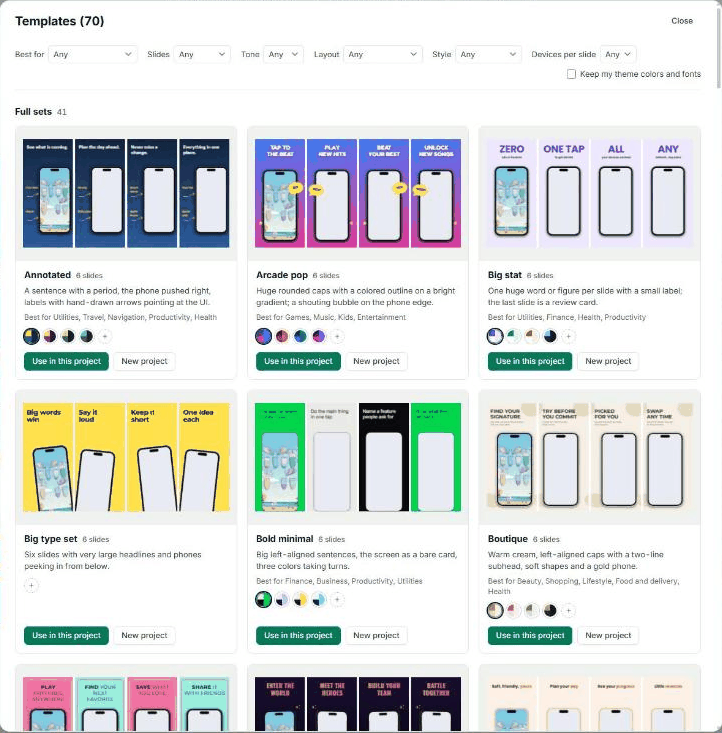
App Store screenshot templates built from 668 real sets.
We studied 668 screenshot sets from the top charts and turned the layouts that keep coming back into 43 research templates: big captions over a single phone, panoramas that run across slides, bold stats, review cards, before and after. Another 27 templates cover the classic layouts.
- Full sets of five slides, or one slide at a time.
- Four color sets per research template, plus your own colors with a live preview.
- A "Best for" filter with more than 30 app kinds, from games to finance.
- Every template is made of normal layers, so you can change anything.
Everything an App Store screenshot maker needs.
One editor for both stores, so the iPhone and the Android set never drift apart.
11 device frames
iPhone with island or notch, Android phone, iPad, Android tablet, foldable, laptop, TV, watch and more. Show them real, clay, frameless, held in a hand, or in 3D.
Every store size
One layout fits every size: each iPhone and iPad class Apple asks for, Google Play phones and tablets, and the Play feature graphic. See the exact pixels on our screenshot size guide.
Google Play feature graphic
Make the Play feature graphic from the same project as your screenshots, so it keeps the same design. It exports at the exact size Google asks for.
Slides that connect
Layers can run across slide edges, and panorama backgrounds span the whole set, so the store shows one continuous story when people swipe.
Magnifier and badges
Zoom into one part of a screen to show a detail, and drag the zoomed area right on the phone. Add rating blocks, your app icon, 39 stickers and title decorations.
Your brand, saved
Upload your own fonts, save brand kits, and keep one project per app with autosave and named versions you can restore.
An AI screenshot generator that reads your app first.
"New set with AI" looks at your app screens, writes a caption for each one, picks a palette and draws three directions to choose from. After that, an assistant changes the set when you ask in plain words, as one step you can undo.
- Captions written from what each screen shows, in a short or a long form.
- "Fix with AI" for problems the checks find.
- An AI review of the set, with a first-impression read of the first three slides.
- AI features use your plan's AI credits. Everything else in the studio is included.
Localized screenshots without a second project.
Keep one layout and add languages to it. Translate the captions by machine or by hand, swap in screenshots taken in each language, and fix a long German word without moving the English one. The studio knows all 50 App Store languages and 86 Google Play language codes.
- Right-to-left languages, with an optional mirrored layout.
- Text that shrinks to fit, per language.
- Checks per language, so a cut-off translation shows before you upload.
- One ZIP with a folder per language and size.
See it the way the store will show it.
Preview your set on an App Store or Google Play page and in a search result, in light and dark mode, next to the screenshots of the competitors you track in ASOScan. A free quick score and automatic checks tell you what to fix before you export.
- Contrast, cut-off text, safe area, camera cutout and see-through backgrounds, each with a Fix button.
- Store page and search result previews for both stores.
- Your competitors' current screenshots in the same view.
Questions about the screenshot generator.
What is an App Store screenshot generator?
A tool that turns your app screens into finished store screenshots: device frames, captions and backgrounds, exported at the sizes Apple and Google ask for. ASOScan Screenshot Studio does this for the App Store and Google Play in one project.
Is the screenshot generator included in my plan?
Yes. Screenshot Studio is part of every ASOScan plan, trial included. Only the AI features (captions, the assistant, translation and the AI review) use your plan’s AI credits.
Which sizes can I export?
Every iPhone and iPad size Apple asks for, Google Play phone and tablet screenshots, and the Play feature graphic, plus custom sizes. Our free screenshot size guide lists the exact pixels.
Can I make a Google Play feature graphic?
Yes. The studio makes the feature graphic from the same project as your screenshots, so it keeps the same design, and it exports at Google’s size.
Does it upload the screenshots to App Store Connect or Google Play?
No. It exports a ZIP of PNG or JPG files, sorted by language and size. You upload them in App Store Connect or the Google Play Console.
How many languages does it support?
All 50 App Store languages and 86 Google Play language codes, including right-to-left languages. One layout serves every language, and each language can have its own screenshots and text fixes.
Can I use my own fonts and colors?
Yes. Upload WOFF2, WOFF, TTF or OTF fonts, save brand kits, and set custom colors on any template with a live preview before you apply them.
Screenshots are one part of the listing.
Every size Apple and Google accept today, in pixels, with the date we last checked.
Line up your screenshots next to your competitors' and see what they change.
Write the title, subtitle and description that go with your new screenshots.
Background reading: Google Play app images, A/B testing your store listing, app localization, app icon design, or the free screenshot resizer.
Make your next screenshot set this afternoon.
Add your app by URL, pick a template, export every size.
Start free trial7-day free trial, no credit card.
